


CIRCLES Method Google Slides Template Designs For Presentations
The Best Collection of CIRCLES Method Google Slides Templates and Slides to understand the basics of this problem-solving and Product Management Tool.
What is the CIRCLES Method?
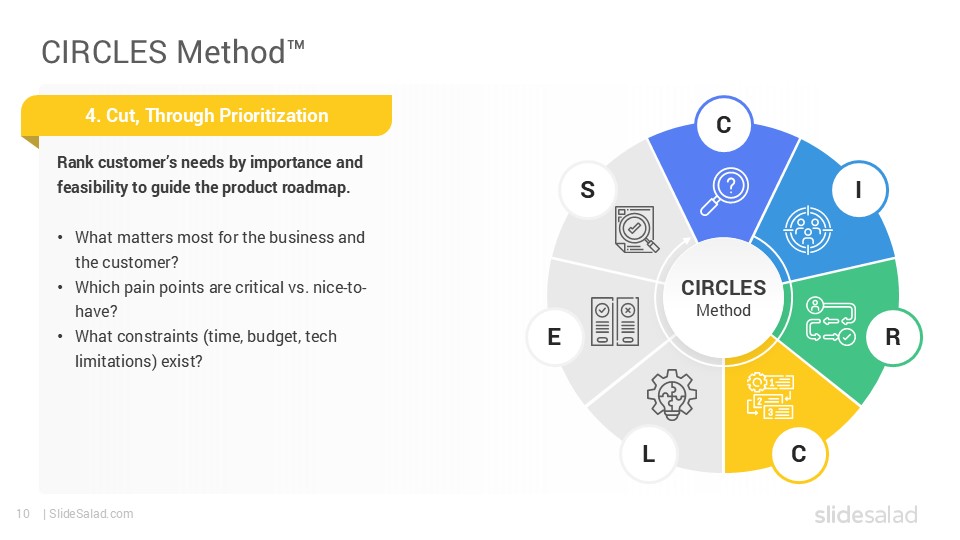
Developed by Lewis C. Lin, the CIRCLES Method is a structured framework designed to help product managers navigate complex challenges in product design, strategy, and user experience. It is widely used in PM interviews, feature prioritization, and team problem-solving. The acronym CIRCLES represents the key steps in this approach:
- Comprehend the Situation: Define the problem by asking who, what, where, when, why, and how.
- Identify the Customer: Use customer personas to gain insights into the target audience.
- Report Customer’s Needs: Determine the value customers seek from the product.
- Cut Through Prioritization: Identify and rank the most critical priorities.
- List Solutions: Brainstorm potential solutions to address the problem.
- Evaluate Tradeoffs: Analyze the advantages and limitations of each option.
- Summarize Recommendations: Compile and present the final strategy.
This collection of ready-to-use colorful Google Slides graphics presentations of The CIRCLES Method for Google Slides contains 12 Creative and fully editable slides with many variations options. they are visually appealing, you can easily modify color schemes, add your text, and resize and move the shapes and icons of each slide as per your requirements.
This template is available as PowerPoint Template:
Download CIRCLES Method PowerPoint Template Here>
Key Features:
- 12 Unique & Creative Google Slides
- 2 Aspect Ratio (4:3 & 16:9)
- Fully and Easily editable content
- 125+ Stunning Premade Theme colors
- 5500+ Vector Icons! easily change size & color
- Unlimited Themes Color
- One-click to change all colors to fully fit your brand’s color. (What this means?)
- 100% Vector Objects & Icons
- Free Fonts and Icons










There are no reviews yet.